 Rokumemo
Unlimited
As long and as often as you like
No limit on recording length or how many times you transcribe (recording length is limited only by free storage).
Voice recorder & transcription for iPhone
Rokumemo turns your recordings into text right on your iPhone. Transcription is free, with no cap on how long or how often. Your audio and text never leave your device.
Free, unlimited transcription · Pro is a one-time purchase · iOS 26 or later
Why Rokumemo
Most transcription apps send your audio to a server. That costs money, so they cap your minutes and ask for a subscription. Rokumemo transcribes on your iPhone, so there is no such cost.
Unlimited
No limit on recording length or how many times you transcribe (recording length is limited only by free storage).
0
Transcription works offline. The first time, iOS downloads the speech model from Apple.
Free
Only if you want no ads or batch export, buy Pro once.
Record · Read · Find
1Record
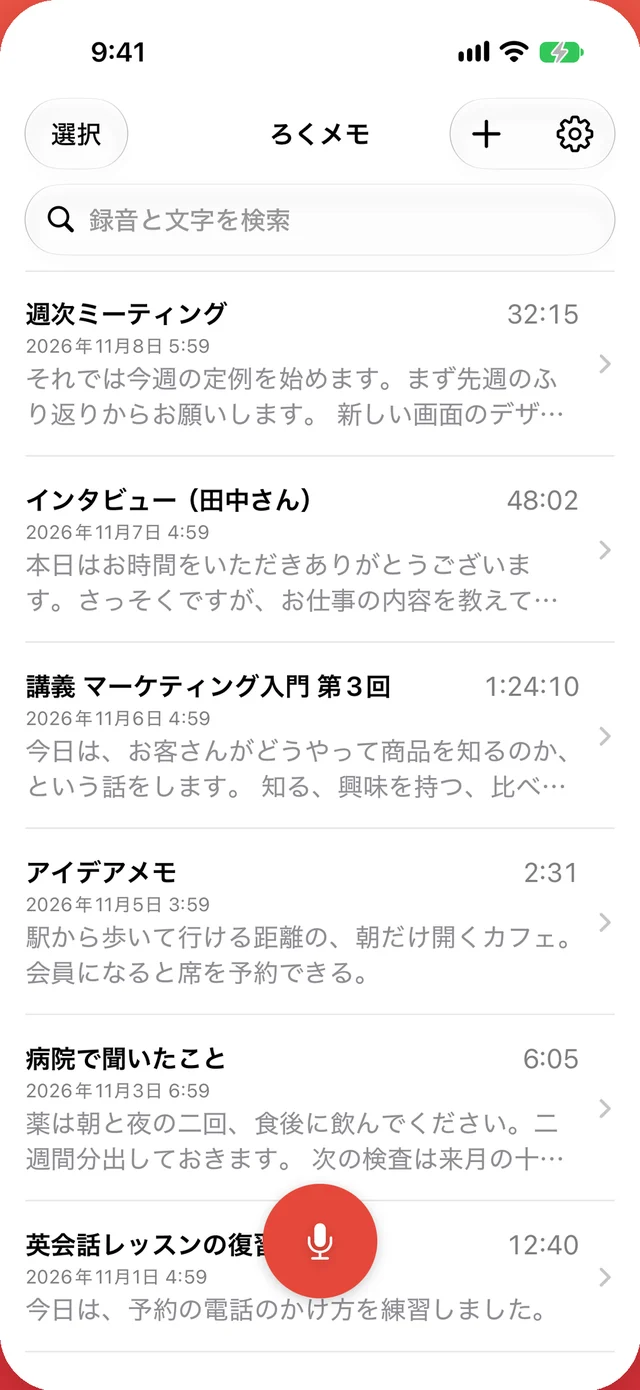
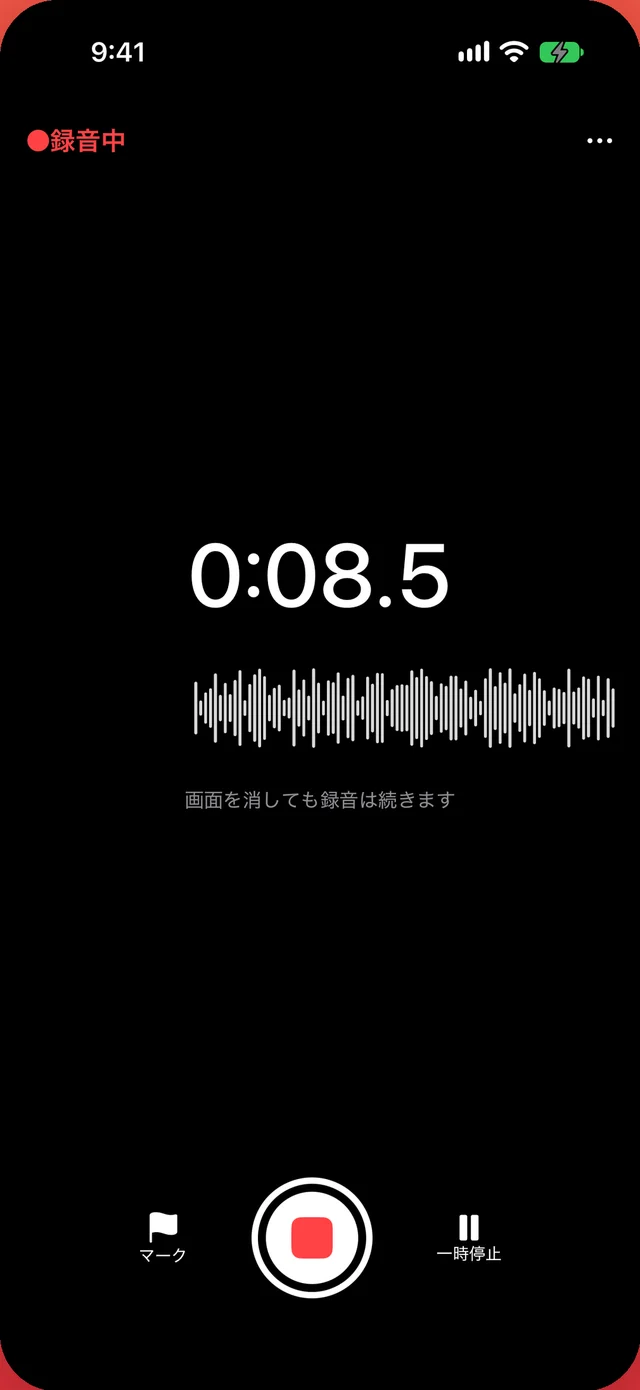
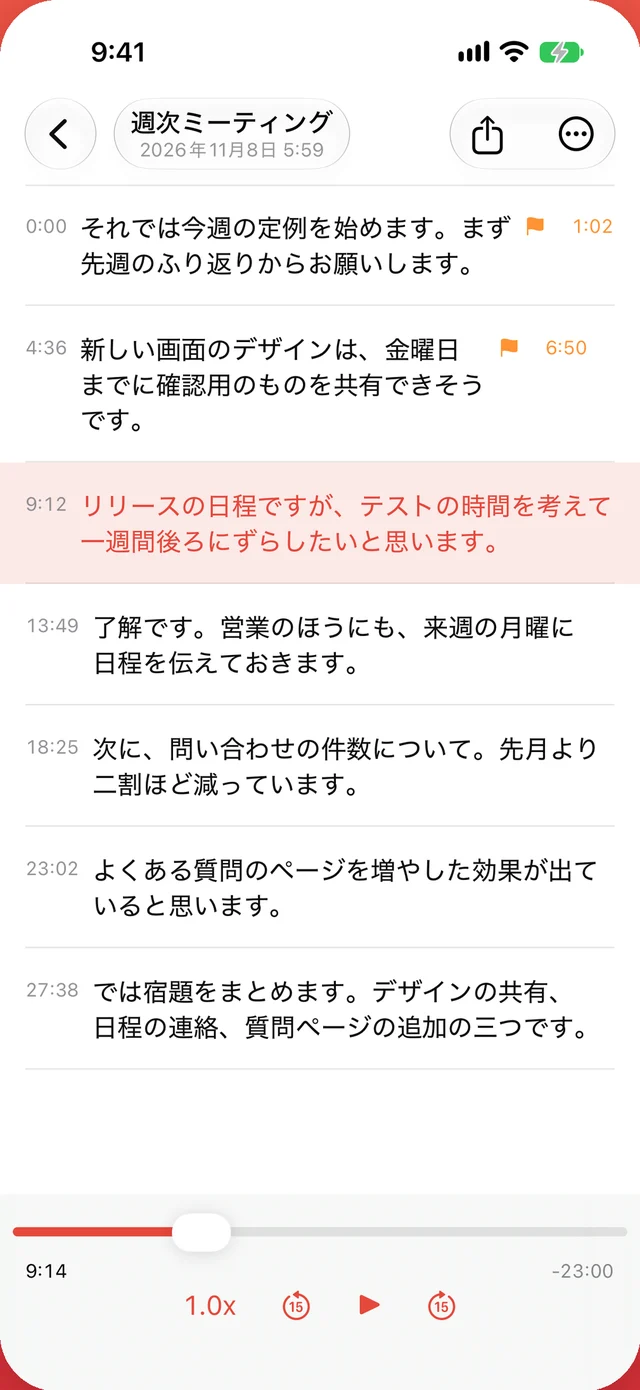
No ads ever appear on the recording screen. Tap Mark at the important moments and a flag appears next to the text later.
2Read & replay
Stop recording and it is transcribed on your iPhone. The paragraph being played is highlighted and the view follows along.
3Find
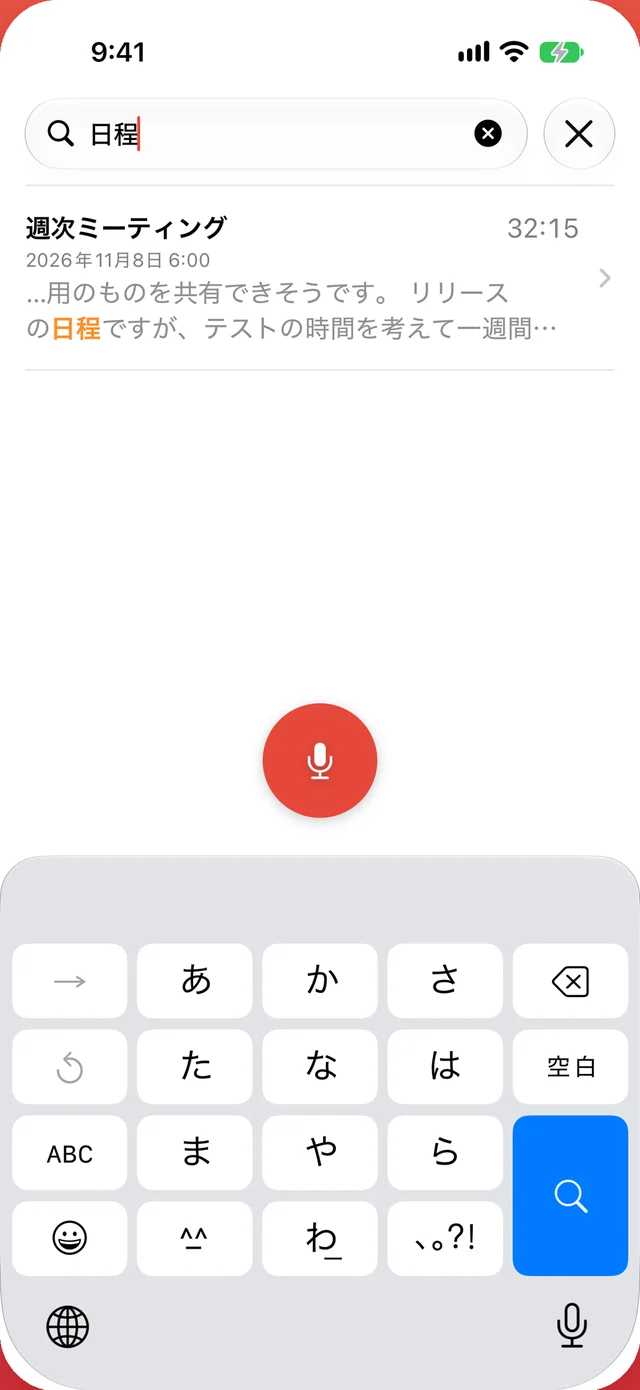
Search goes beyond titles into the transcripts of every recording.
Privacy
Rokumemo has no server. Audio and text leave the app only when you choose to share them — fine for meetings, interviews, or what the doctor said.
Transcribed on deviceUses Apple's on-device speech recognition. Audio is never uploaded.
No accountNo sign-up, no login, no email address.
Honest about adsThe free version shows Google ads, so some device information goes to Google. Your recordings and text are never used for ads. Pro shows no ads.
Pricing
No monthly or yearly plans. Apple handles payment and refunds through the App Store.
Free
Freeforever
Shows ads in the list and while transcribing (never while recording).
No account needed.
Rokumemo Pro
One-timepurchase
Not a subscription. Price shown in the App Store for your country.
Family Sharing supported. Restore Purchases on a new iPhone.
Before you install
So there are no surprises later.
FAQ
No. Transcription runs on your iPhone, so it is free no matter how long or how often you record (recording length is limited only by your iPhone's free storage).
Transcription works offline. The first time, iOS downloads the speech model from Apple. Ads use the network (not in Pro).
No. Recordings and text stay on your iPhone and are never sent to us or any other service, unless you choose to share them.
No. Open the app and start recording.
Connect to the internet and tap Try Again. The speech model may not have finished downloading. Low storage can also cause this.
Open it again. Everything up to the last few seconds is kept and transcribed automatically.
In Voice Memos, select the recording, tap Share and choose Rokumemo (a Pro feature; your first import is free).
No ads, batch export to TXT and CSV, and unlimited imports from other apps. It is a one-time purchase, not a subscription. Transcription is free and unlimited without Pro.
Tap Restore Purchases in Settings. Family Sharing is supported.
Yes, when you restore from an iPhone backup (such as iCloud Backup).
Free, unlimited transcription. No account needed.